

Gemini Videos Generation API Integration Guide
This article will introduce the integration guide for the Gemini Videos Generation API, which can generate Google Gemini (omni-flash) videos through input text prompts (and optional reference images).
¶ Application Process
To use the Gemini Videos Generation API, first go to the 灵蛇AI Console to obtain your API Token and keep it for later use.
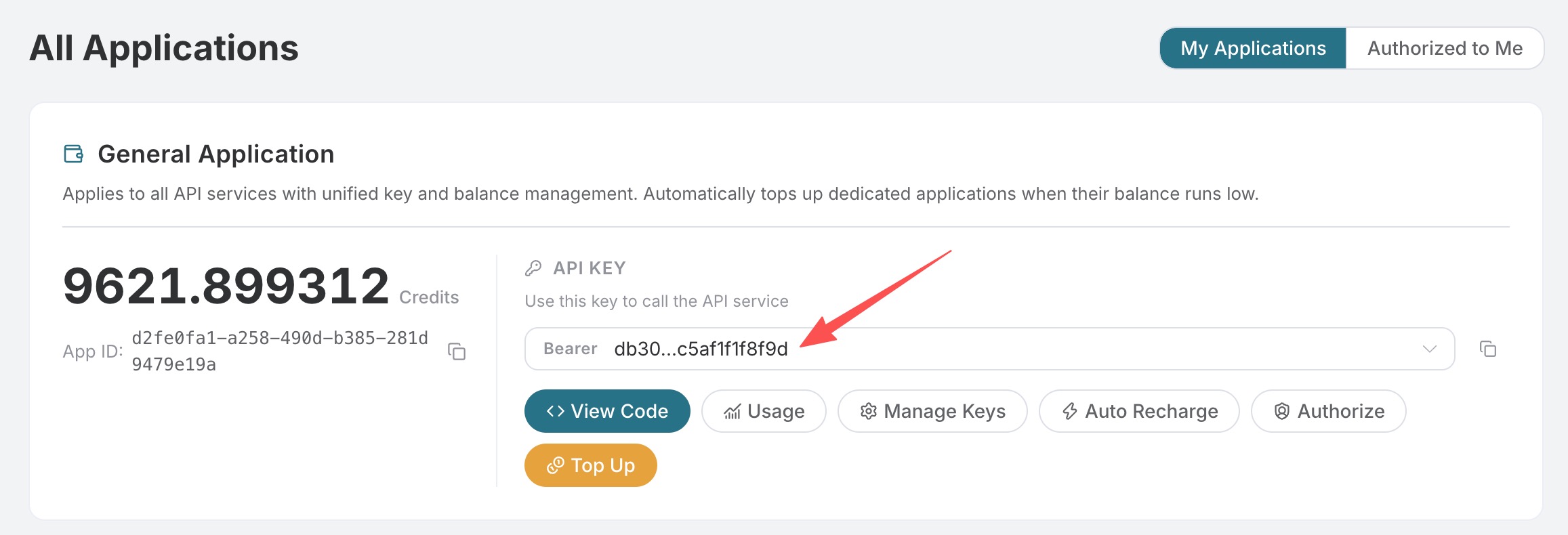
If you have not logged in or registered yet, you will be automatically redirected to the login page to register and log in, and you will automatically return to the current page after completion.
One API Token can call all platform services; there is no need to apply separately for each service. Your first application will receive free credits for a free trial; when credits are insufficient, you can recharge your general balance in the console.
📘 Full documentation: Gemini Videos Generation API →
¶ Basic Usage
First, let's understand the basic usage method. Enter the prompt prompt, model model, and aspect ratio aspect_ratio to generate the corresponding video.
You can see that we have set Request Headers here, including:
accept: The format of the response result you want to receive. Here it is set toapplication/json, namely JSON format.authorization: The key for calling the API. After applying, you can directly select it from the dropdown.
In addition, Request Body is set, including:
prompt: The text prompt describing the video content you want to generate, required.model: The model for generating videos. Currently, onlyomni-flashis supported, and the default isomni-flash.aspect_ratio: The aspect ratio of the generated video. You can choose16:9(landscape) or9:16(portrait), with a default of16:9.resolution: Optional output resolution. You can choose720por1080p, with a default of720p.image_urls: Optional array of reference image links, used to guide video generation. Empty items will be ignored. When usingvideo_urlsfor video editing, this parameter is required (at least one image).video_urls: Optional array of reference video links (up to 1), used for video editing / video reference; when provided, at least oneimage_urlsmust also be provided.callback_url: Asynchronous callback address. After setting it, the API will immediately returntask_id, and POST the result to this address when the task is completed.async: Optional. When set totrue, the API immediately returnstask_id; there is no need to providecallback_url, and then the result can be obtained by polling through the corresponding task query API.
Click the “Try” button to test, and the result will be similar to the following:
{
  "success": true,
  "task_id": "9258c45f-bed9-4dde-81c2-a70a710a6904",
  "trace_id": "862d6aae-cec0-407f-9524-bc1be2291bcb",
  "data": [
    {
      "id": "dc4b7292-070c-49a8-8183-919bdf8ad59e",
      "video_url": "https://cdn.acedata.cloud/assets/examples/gemini/9258c45f-bed9-4dde-81c2-a70a710a6904-418c13e0605f.mp4",
      "state": "succeeded",
      "aspect_ratio": "16:9",
      "prompt": "A cinematic shot of a kitten chasing a butterfly in a sunlit garden"
    }
  ],
  "started_at": 1784112953.856,
  "finished_at": 1784113021.328,
  "elapsed": 67.472,
  "cost": {
    "amount": 1.932,
    "currency": "credit",
    "list_amount": 2.1
  }
}
The returned result contains multiple fields, described as follows:
success: Whether this video generation request was successful.task_id: The ID of this video generation task.trace_id: The tracking ID of this request, used for troubleshooting.data: The list of generated video results.id: The unique identifier of the generated video.video_url: The link address of the generated video (nullwhenstateispending).state: The status of the video generation task. Available values arepending/succeeded/failed.aspect_ratio: The aspect ratio of this video, consistent with the request parameter.prompt: The prompt used to generate this video.
For synchronous responses, the top level will also include fields such as started_at, finished_at, elapsed (duration, in seconds), and cost (the charge for this request, in Credits).
We only need to obtain the generated video based on the video_url link address in data in the result.
The corresponding CURL code is as follows:
curl -X POST 'https://api.opensnake.cloud/gemini/videos' \
-H 'authorization: Bearer ${bearer_token}' \
-H 'accept: application/json' \
-H 'content-type: application/json' \
-d '{
  "prompt": "A cinematic shot of a kitten chasing a butterfly in a sunlit garden",
  "model": "omni-flash",
  "aspect_ratio": "16:9"
}'
The corresponding Python code is as follows:
import requests

url = "https://api.opensnake.cloud/gemini/videos"

headers = {
    "accept": "application/json",
    "authorization": "Bearer {token}",
    "content-type": "application/json"
}

payload = {
    "prompt": "A cinematic shot of a kitten chasing a butterfly in a sunlit garden",
    "model": "omni-flash",
    "aspect_ratio": "16:9"
}

response = requests.post(url, json=payload, headers=headers)
print(response.text)
¶ Image-to-Video
If you want to generate a video based on reference images, you can pass one or more image links in image_urls to guide video generation:
{
  "prompt": "The woman slowly turns around and smiles at the camera, gentle breeze",
  "model": "omni-flash",
  "aspect_ratio": "9:16",
  "image_urls": [
    "https://cdn.acedata.cloud/assets/examples/nanobanana/e44bfceb-1458-4b4b-9d10-21024678f1a3-5ccb6e83b402.png"
  ]
}
¶ Video Editing / Reference Video (Video Input, Video Output)
You can directly "input a video and generate a new video": provide one reference video URL in video_urls (maximum 1), and at the same time provide at least one reference image in image_urls, then use prompt to describe the desired editing effect (changing the style, replacing the scene, adding or removing elements, etc.).
Below is a complete real-world example—transforming a sunny beach video into a snowy winter scene while preserving the layout of the beach, palm trees, and boat. Video editing takes a relatively long time (about 6.5 minutes in this example), so it is submitted asynchronously using async: true:
{
  "prompt": "Turn this sunny tropical beach into a snowy winter scene with heavy falling snow and overcast sky; keep the same beach, palm trees and boat layout.",
  "model": "omni-flash",
  "aspect_ratio": "9:16",
  "resolution": "720p",
  "image_urls": [
    "https://cdn.acedata.cloud/99289603bd.png"
  ],
  "video_urls": [
    "https://cdn.acedata.cloud/assets/examples/seedance/dd3dc063-3383-4f29-bedc-e771a096758c-044e05281a2a.mp4"
  ],
  "async": true
}
After submission, the API immediately returns a task_id:
{
  "task_id": "cd68b4ee-de70-4c94-ac69-997a3fed0284"
}
Then use this task_id as the id to poll the Gemini Tasks API. Once the task is complete, you can obtain the newly generated video (this is the actual response from this example):
{
  "success": true,
  "task_id": "cd68b4ee-de70-4c94-ac69-997a3fed0284",
  "trace_id": "5b22104b-5a6d-4a4f-8063-69acae1dc1c6",
  "data": [
    {
      "id": "e125d316-3d26-4c65-9413-55baf6be46b8",
      "video_url": "https://cdn.acedata.cloud/assets/examples/sora/cd68b4ee-de70-4c94-ac69-997a3fed0284-c5603ef983da.mp4",
      "state": "succeeded",
      "aspect_ratio": "9:16",
      "prompt": "Turn this sunny tropical beach into a snowy winter scene with heavy falling snow and overcast sky; keep the same beach, palm trees and boat layout."
    }
  ],
  "started_at": 1784084482.914,
  "finished_at": 1784084877.09,
  "elapsed": 394.176,
  "cost": {
    "amount": 1.932,
    "currency": "credit",
    "list_amount": 2.1
  }
}
For higher-resolution results, set resolution to 1080p (leave the other parameters unchanged).
Note: The input/output media links in the examples are real generated results. Videos and image links generated by the platform have a retention period and will become invalid after expiration. Please download and save them to your own storage promptly after receiving the results.
Note: A maximum of 1 reference video is allowed; when providing
video_urls, you must also provide at least oneimage_urls, otherwise the following parameter error will be returned:
{
  "success": false,
  "error": {
    "code": "bad_request",
    "message": "image_urls (at least one reference image) is required when video_urls is provided."
  }
}
¶ Asynchronous Callback
Video generation requires some processing time. If you do not want to keep a long connection waiting, you can pass in callback_url. The API will then immediately return a task_id, and once the task is completed, it will POST the final result to that address:
{
  "prompt": "A cinematic shot of a kitten chasing a butterfly in a sunlit garden",
  "model": "omni-flash",
  "aspect_ratio": "16:9",
  "callback_url": "https://your-domain.com/callback/gemini"
}
The immediately returned result is as follows:
{
  "task_id": "04a043bd-6b23-4b4e-945c-ce48158c3eee"
}
¶ Query Task Results
If you use an asynchronous callback or want to actively query the task status, you can query the latest task status and result by task_id through the Gemini Tasks API (POST https://api.opensnake.cloud/gemini/tasks). Pass the task_id returned when creating the video as id in the request body:
{
  "id": "04a043bd-6b23-4b4e-945c-ce48158c3eee"
}
The result returned after the task is completed is similar to the following. The structure of response.data is consistent with that of synchronous generation (state is pending and video_url is null while generation is in progress):
{
  "id": "04a043bd-6b23-4b4e-945c-ce48158c3eee",
  "type": "videos",
  "request": {
    "model": "omni-flash",
    "prompt": "A time-lapse of clouds over snow mountains at sunrise",
    "aspect_ratio": "16:9",
    "async": true
  },
  "response": {
    "success": true,
    "task_id": "04a043bd-6b23-4b4e-945c-ce48158c3eee",
    "data": [
      {
        "id": "486ebd5a-6a4b-406c-84ae-33835de4fe19",
        "video_url": "https://cdn.acedata.cloud/assets/examples/gemini/04a043bd-6b23-4b4e-945c-ce48158c3eee-3a89912507c7.mp4",
        "state": "succeeded",
        "aspect_ratio": "16:9",
        "prompt": "A time-lapse of clouds over snow mountains at sunrise"
      }
    ],
    "elapsed": 96.716,
    "cost": {
      "amount": 1.932,
      "currency": "credit",
      "list_amount": 2.1
    }
  }
}
¶ Error Handling
When an issue occurs with a request, the API returns the corresponding error code and description. Common errors include:
400: Invalid request parameters, such as a missingpromptor an invalidaspect_ratiovalue.401: Authentication failed; the token is invalid or does not match the API.403: Insufficient balance, or the prompt was rejected by content moderation.500: Service exception or generation failure.